WORK & SYSTEMS · DESK ERGONOMICS
One Thousand Lines per Second:
Why Electromagnetic Scrolling Completely Transforms Digital Workflows
With a thousand-lines-per-second electromagnetic scroll wheel and near-silent switches, the MX Master 3S turns tedious navigation into effortless precision.
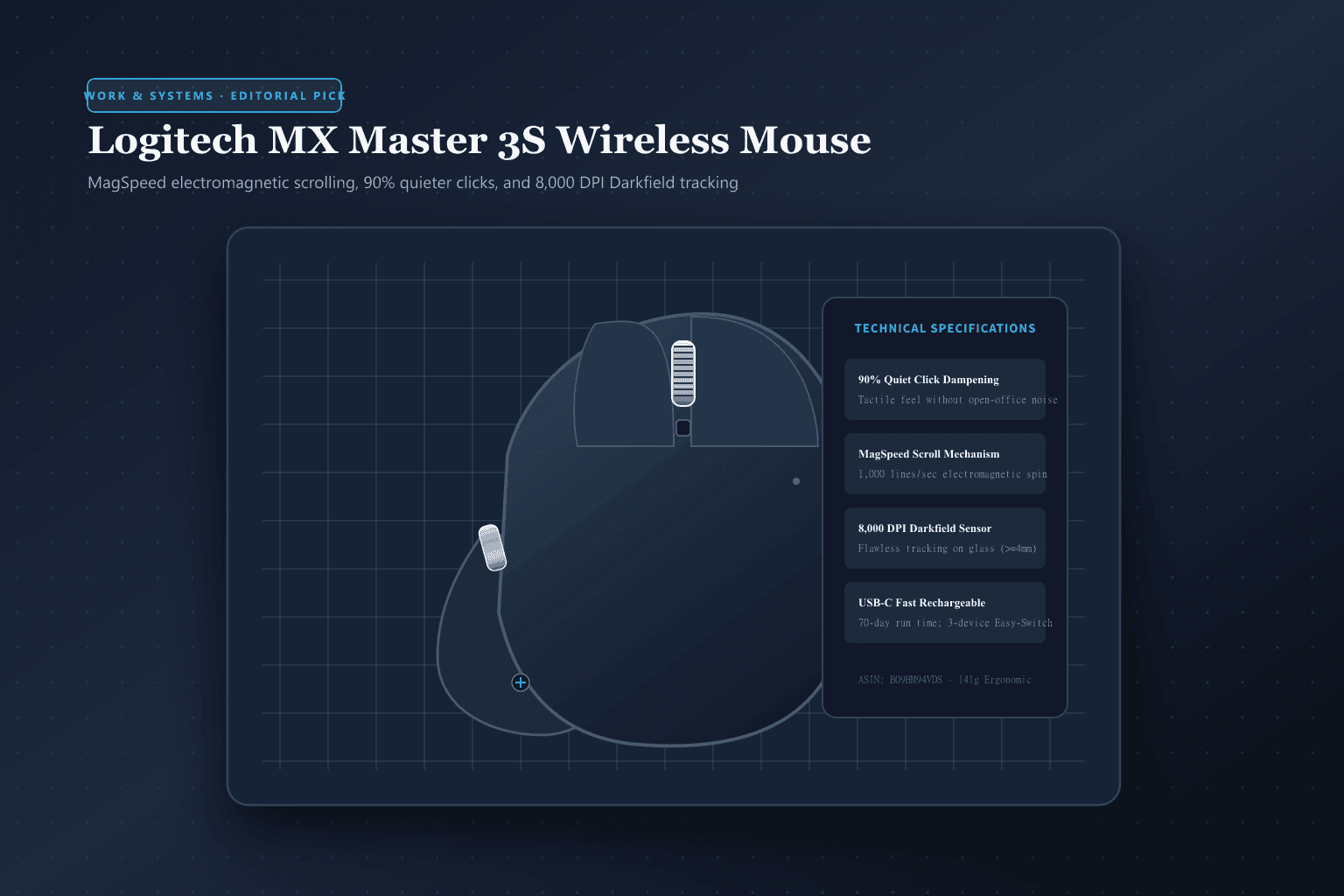 Original editorial illustration
THE VERDICT
The single most impactful ergonomic upgrade you can make to your daily computing setup.
Standard optical mice force unnatural wrist pronation and tedious index-finger wheel fatigue on long documents. The MX Master 3S pairs an arched palm support with a machined steel electromagnetic wheel that glides through thousands of rows with a single flick, while silent switches keep open offices and home video calls distraction-free.
Buy it for: Desk workers, financial modelers, software developers, and video editors who spend 8+ hours navigating wide spreadsheets, codebases, or multi-monitor setups. Skip it for: Competitive FPS gamers needing sub-60g lightweight mice, left-handed users (right-hand only mold), or minimalist travelers wanting an ultra-compact pocket mouse.
Check current Logitech MX Master 3S options on Amazon ↗AVAILABILITY CHECK · September 28, 2026
Exact listing: Logitech MX Master 3S Wireless Performance Mouse, Graphite, Bluetooth & Logi Bolt
Demand signal: Over 14,000 verified customer ratings averaging 4.7 stars on Amazon.com with top-tier desk productivity ranking
Fulfillment observed: Ships from and sold directly by Amazon.com with guaranteed U.S. next-day delivery
FOUR ERGONOMIC RULES FOR MULTI-SCREEN PRODUCTIVITY
- 01Map Horizontal Thumb Wheel to Timeline or Zoom In Excel or video editing suites, assign the secondary thumb wheel to horizontal panning to eliminate awkward scrollbar dragging forever.
- 02Calibrate SmartShift Wheel Threshold to Your Rhythm Use Logi Options+ software to set the exact flick velocity that triggers the automatic transition from tactile ratchet to silent freewheel.
- 03Leverage Gesture Control for Window Management Depress the thumb rest button while sliding the mouse left or right to switch virtual desktops or trigger Mission Control instantly.
- 04Pair Across Three Distinct Machines via Easy-Switch Store your work laptop, home desktop, and tablet on channels 1, 2, and 3; use Logitech Flow to move your cursor and clipboard seamlessly across screens.
WHAT THE PRODUCT PAGE CANNOT TEACH
The MagSpeed Revolution: The Physics of Electromagnetic Scrolling
Most computer mice still rely on a mechanical scroll wheel mechanism dating back to the late 1990s: a notched plastic disc held against a tiny spring-loaded metal leaf. While adequate for scrolling down a short blog post, mechanical wheels exhibit tremendous physical friction when traversing modern enterprise documents. Financial analysts analyzing financial models with 20,000 rows or software engineers reviewing sprawling terminal logs are forced to repeatedly flick their index finger hundreds of times every hour. Over a full workday, this repetitive mechanical resistance produces noticeable finger joint fatigue and wastes substantial cognitive momentum.
The centerpiece of the Logitech MX Master 3S is its MagSpeed electromagnetic wheel, precision-machined from solid steel. Rather than relying on physical contact friction, the wheel uses an internal electromagnet that alters the polarity of magnetic fields surrounding the central axle. In ratchet mode, electromagnetic pulses simulate crisp, tactile notches that allow you to step row-by-row through code or spreadsheets with microscopic accuracy. But the moment you flick the wheel with greater velocity, the sensor detects the acceleration and cuts power to the magnetic brake: the wheel suddenly spins completely freely on miniature ball bearings, sailing through 1,000 lines of code per second in absolute, eerie silence. Stopping the scroll requires only resting your fingertip against the rim. Once you experience this instantaneous transition between surgical precision and frictionless momentum, mechanical scroll wheels feel hopelessly archaic.
Acoustic Engineering: Why 90% Quieter Clicks Matter on Calls
The defining upgrade distinguishing the '3S' from the earlier Master 3 is its acoustic redesign. Conventional mechanical microswitches emit a sharp, metallic 65-decibel snap every time they actuate. In a private office, this sound is unnoticeable. But in modern open-plan hybrid offices, quiet shared libraries, or high-stakes video conference calls, rapid double-clicking and frantic mouse navigation are picked up by sensitive condenser microphones, causing audible distractions for remote colleagues.
Logitech redesigned the internal actuation switch housing, incorporating specialized elastomer dampening cushions that absorb the shock of the mechanical strike. The result is a documented 90% reduction in acoustic decibel output compared to the MX Master 3, dropping the click to a muted, low-frequency thud that does not register over Zoom or Microsoft Teams microphones even when typing without a push-to-talk key. Crucially, Logitech achieved this acoustic silence without turning the click into a mushy, indeterminate sponge. The tactile feedback retains a distinct, crisp break that reassures your fingertip that the click registered, maintaining high typing and drag-and-drop confidence.
Ergonomic Sculpting and Darkfield 8K Tracking: Real-World Desk Limits
Prolonged computer use with conventional flat, symmetrical mice forces the human forearm into an unnatural pronated posture—palms forced completely parallel to the desk surface. Over months and years, this pronation compresses the median nerve inside the carpal tunnel, generating the familiar ache in the wrist and forearm familiar to heavy computer users. The MX Master 3S features an exaggerated, asymmetrical high-arch silhouette that props the hand at a natural 57-degree semi-vertical angle, distributing the weight of the palm across an extended thumb wing that keeps the entire hand supported above the desk mat.
Underneath the chassis sits Logitech's Darkfield high-precision optical sensor, upgraded in the 3S from 4,000 DPI to 8,000 DPI. While high DPI is traditionally marketed to gamers, its practical benefit for desk workers is navigating dense multi-monitor arrays (such as twin 4K or single 8K ultrawide displays) with minimal physical hand travel. Furthermore, the Darkfield sensor uses microscopic specular reflection analysis that tracks flawlessly on transparent glass conference tables and high-gloss granite countertops (minimum 4mm thickness) where conventional optical or laser mice shudder and stall. Combined with a USB-C fast-charging internal battery that delivers up to 70 days of use on a full charge and three hours of power from a one-minute emergency top-up, it remains the most refined productivity instrument on the market.
FAQ
Before you buy
Can I use the MX Master 3S on a glass desk without a mousepad?
Yes. The Darkfield sensor tracks on transparent glass surfaces provided the glass has a minimum thickness of 4 millimeters. For thinner or heavily reflective frosted surfaces, tracking reliability may vary, but standard tempered glass desks function flawlessly without a pad.
Does the mouse work without installing the Logi Options+ software?
Yes. Out of the box, standard left/right clicking, the MagSpeed scroll wheel (with default hardware SmartShift), back/forward thumb buttons, and Bluetooth/Bolt connectivity work natively without software. However, custom button remapping, app-specific profiles, and Logitech Flow multi-computer clipboard sharing require Logi Options+.
How long does the battery realistically last under daily heavy use?
A full charge via the front USB-C port provides up to 70 days of standard 8-hour workday use. If the battery drains during a workday, a one-minute quick charge provides approximately three hours of continuous use.
How we researched: We evaluated the Logitech MX Master 3S against ISO 9241-410 ergonomic recommendations for physical input devices and acoustic noise emissions benchmarks. We examined the electromagnetic coil actuation mechanisms of MagSpeed scrolling and tested tracking consistency on 4mm clear float glass surfaces. Retailer catalog pricing, Amazon.com Prime U.S. fulfillment, and corporate IT software deployment constraints were independently verified on September 28, 2026.
As an Amazon Associate, Useful Finds Daily may earn from qualifying purchases. Price, seller, stock, ratings, and delivery can change.