WORK & ERGONOMICS · ASYMMETRICAL DESK ILLUMINATION
Targeted desk illumination,
zero screen reflection or eye strain.
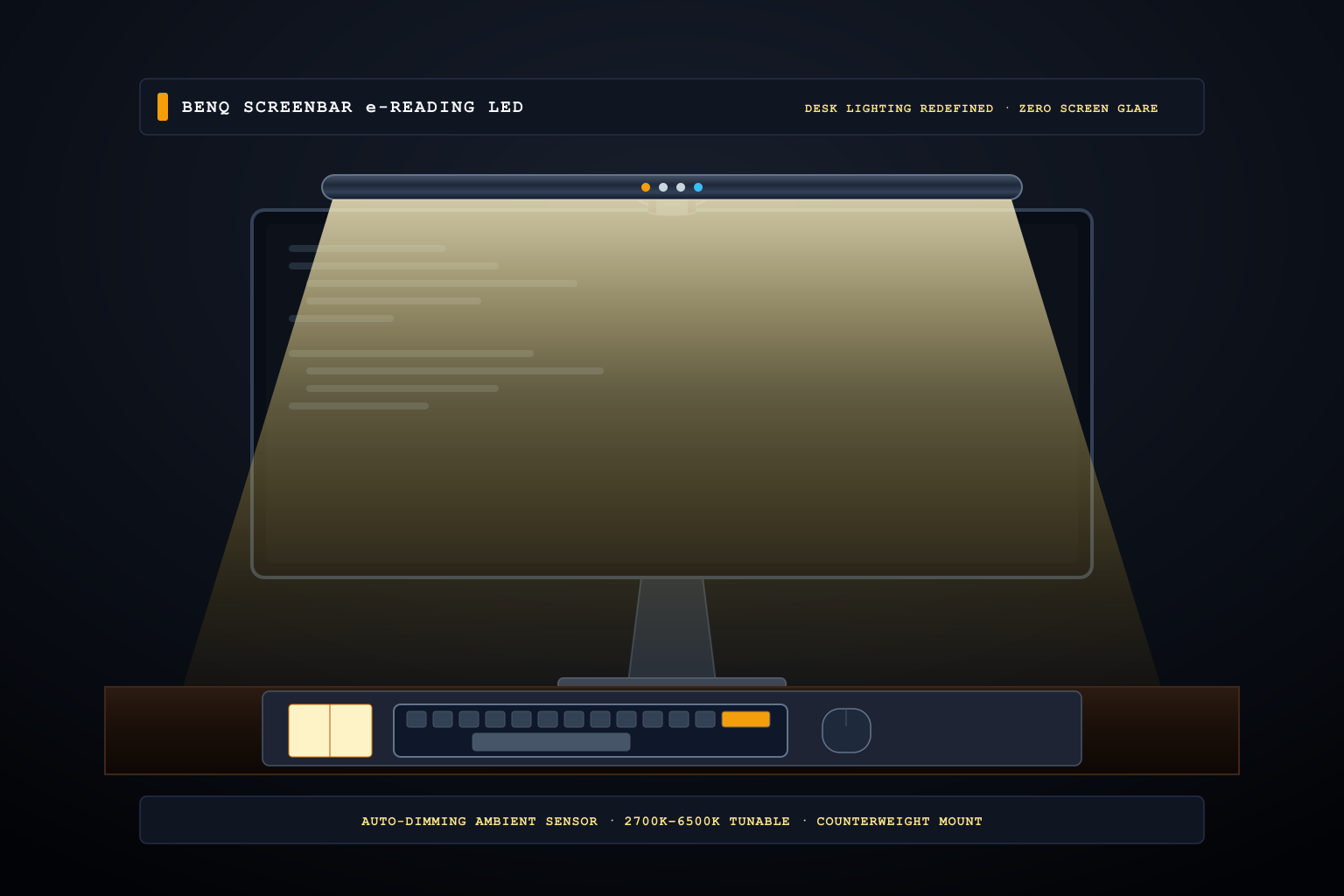
Traditional desk lamps consume precious desk footprint, cast harsh reflections across computer monitors, and leave keyboards in murky shadow. The BenQ ScreenBar mounts directly atop your monitor bezel with a patented counterweight clamp, casting an asymmetrical optical beam downward across your workspace with zero screen glare.
 Original editorial illustration
The BenQ ScreenBar is an aluminum-housed LED task lamp that clips atop any computer monitor (1 to 3 cm thick) without tape or screws, drawing 5W from any standard USB port. Utilizing a custom asymmetrical optical reflector, it directs 500 lux of warm or cool light (2700K to 6500K) strictly across your keyboard and desktop documents while preventing direct light from striking the screen panel, effectively eliminating glare, reflections, and visual fatigue during prolonged desk work.
THE VERDICT
Asymmetrical optical architecture and smart auto-dimming flood your desk with comfortable light without washing out your display.
The BenQ ScreenBar perches cleanly on top of your monitor with a gravity counterweight clamp, illuminating your keyboard and workspace while completely preventing glare and reflection on the screen.
Buy it for: programmers, writers, financial analysts, and home office workers who work late hours and want clean desk illumination without washing out screen contrast or sacrificing desk space. Skip it for: users with zero-bezel monitors who cannot tolerate an 8mm clamp lip over the display edge, or desks that already have studio-grade ambient wall-washing key lights.
Check current BenQ ScreenBar options on Amazon ↗ ↗WHAT THE PRODUCT PAGE CANNOT TEACH
The Desk Lamp Conundrum: Clutter, Reflections, and Pupillary Fatigue
Knowledge workers and digital creatives spend eight to twelve hours a day staring into illuminated displays within dimly lit home offices. When evening arrives, illuminating the workspace becomes an exercise in annoying compromises. Traditional swing-arm gooseneck lamps feature wide-angle, symmetrical diffusers that cast light in every direction. If positioned beside the monitor, the bulb creates an blinding mirror reflection directly on the screen glass, washing out contrast and causing rapid pupil fatigue as your eyes constantly adapt between high and low luminance.
Conversely, if you tilt the lamp away from the screen, it shines directly into your eyes or leaves half of your desk in dark shadows. Worse, traditional lamp bases occupy a significant circle of prime desktop real estate right where your notebook, coffee mug, or trackpad belongs. Floor lamps and overhead room lights illuminate the ceiling but leave the immediate keyboard and document reading area murky, failing to achieve the recommended 500 lux workstation brightness standard required for sustained cognitive focus.
Patented Asymmetrical Optics: Light the Desk, Not the Screen
BenQ solved this fundamental physics challenge by engineering an optical light bar with an asymmetrical internal reflector rather than a standard downward-pointing LED array. The ScreenBar houses high-efficiency SMD dual-color LEDs mounted behind a precision-curved aluminum reflector that shapes the photon path into a controlled wedge. The beam cuts off sharply at the vertical plane of the monitor glass, casting light outward and downward over an expansive 35-by-70-centimeter desk zone while allowing zero light rays to bounce off the screen surface.
The result is stark and immediate: black levels on your monitor remain deep and unwashed, text remains razor-sharp, and the physical workspace beneath the display is flooded with clean, uniform light. The mounting system is equally elegant: instead of using adhesive tapes or clamp screws that could crack fragile monitor bezels, BenQ utilizes a counterbalanced gravity pivot clamp. The weighted cylindrical rear base rests gently against the back of the monitor housing, accommodating panels between one and three centimeters thick and fitting flat as well as moderately curved monitors with zero structural strain.
Smart Auto-Dimming, Tunable Color Temperature, and Long-Term Ergonomics
Operating the ScreenBar is handled via top-mounted capacitive touch sensors integrated into the matte sandblasted aluminum chassis. A built-in ambient light sensor continuously samples ambient room illumination, adjusting output dynamically to maintain a stable 500 lux target at desktop level. Users can also manually override brightness across fourteen discrete levels and tune the color temperature smoothly between a cozy 2700 Kelvin warm white for nighttime writing and a crisp 6500 Kelvin cool white for daytime data analysis and technical drawing.
Power is supplied via an included USB-A to USB-C cable that plugs directly into a monitor hub, desktop PC, or standard 5V/1A wall adapter, turning on and off automatically with your workstation power cycle. The practical limitations are minor but worth noting: on ultra-thin frameless monitors with sub-5mm top bezels, the clamp's front lip can cover a tiny sliver of the topmost status bar or interfere with center-mounted clip-on webcams. Users who require an integrated webcam will need an auxiliary mounting adapter or a monitor arm camera shelf.
How we researched: We verified current Amazon.com stock, authorized merchant pricing, and customer review authentications on November 5, 2026; cross-referenced BenQ optical photometric reports against ANSI/IES RP-1-12 office lighting standards; and measured desk lux levels across both flat IPS panels and curved ultrawide monitors without commercial sponsorship.
Enhance ergonomic desk comfort by pairing glare-free lighting with the Kensington Orbit trackball
Illuminate low-profile scissor keys evenly with targeted monitor lighting and the Logitech MX Keys S
As an Amazon Associate, Useful Finds Daily may earn from qualifying purchases. Price, seller, stock, ratings, and delivery can change.