DESK ERGONOMICS · JOINT RELIEF
Zero-Arm Travel,
Tactile Control.
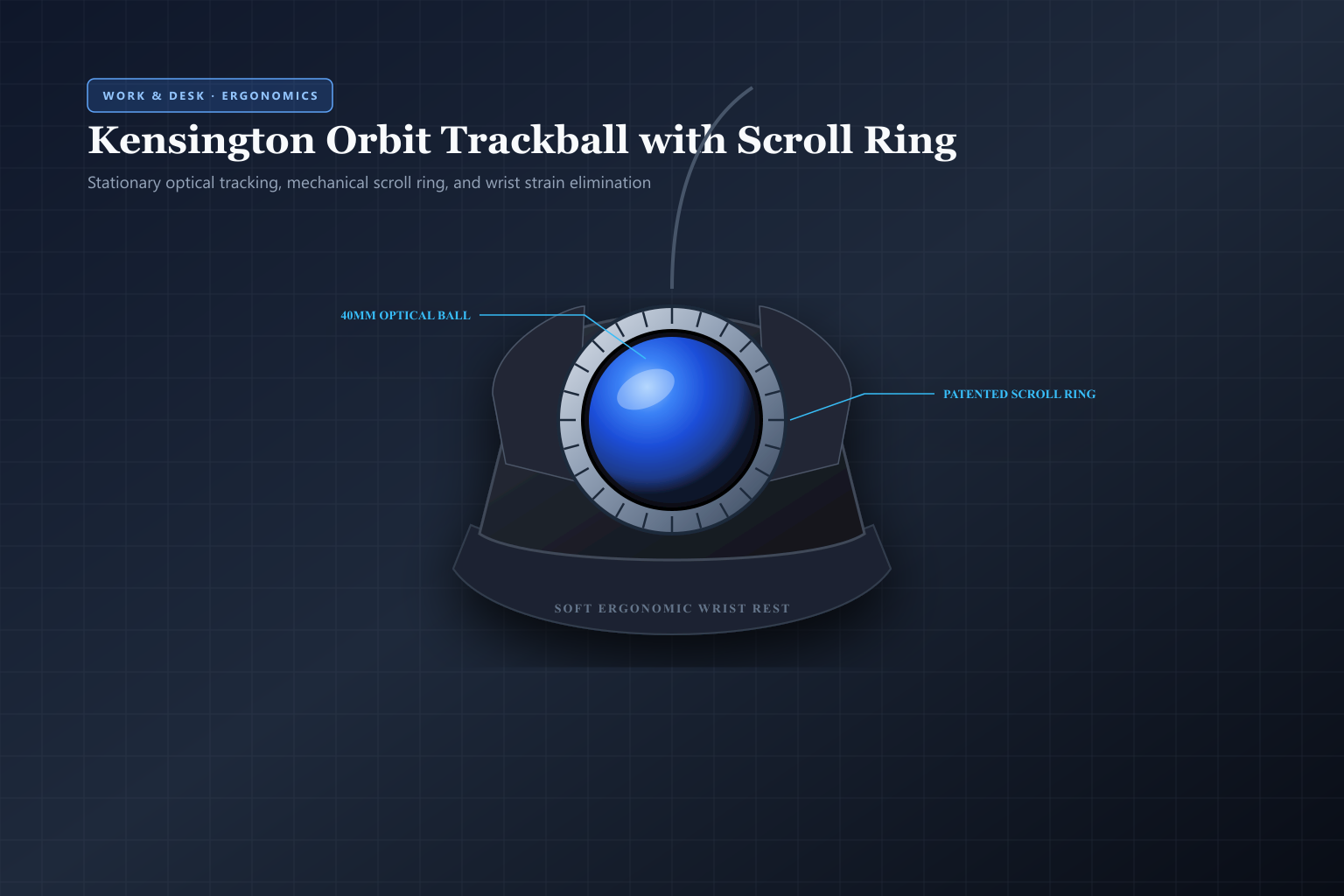
Desk workers spending eight to ten hours a day dragging a conventional mouse across mousepads often suffer from repetitive strain injury, forearm pronation fatigue, and carpal tunnel pain. The Kensington Orbit Trackball eliminates arm travel entirely by keeping the mouse stationary while your fingers glide a silky 40mm optical sphere encircled by an effortless mechanical scroll ring.
 Original editorial illustration
The Kensington Orbit Trackball with Scroll Ring (Model K72337US) is an acclaimed ergonomic stationary pointer designed to eliminate wrist displacement and forearm fatigue. Featuring a centered 40mm metallic blue trackball and a patented tactile mechanical scroll ring, it enables fluid navigation through spreadsheets, timelines, and long documents without moving your arm. Its ambidextrous curved chassis includes a soft detachable rubberized wrist rest, dual customizable click switches via KensingtonWorks software, and reliable plug-and-play USB connectivity.
THE VERDICT
A stationary 40mm optical ball encircled by a mechanical scroll ring eliminates repetitive wrist sweeps, providing immediate ergonomic comfort on crowded desks.
The Kensington Orbit Trackball keeps your arm and wrist anchored in a relaxed, neutral posture while your fingertips navigate code, documents, and timelines with whisper-quiet precision. Its tactile scroll ring and detachable wrist rest redefine daily desk comfort.
Buy it for: desk workers, programmers, spreadsheet analysts, and digital editors seeking immediate relief from carpal tunnel irritation, RSI, and mousepad clutter without sacrificing precision. Skip it for: competitive fast-twitch FPS gamers who rely on rapid whole-arm mouse swiping, or users unwilling to adapt to a brief three-day fingertip tracking learning curve.
Check current Kensington Orbit Trackball options on Amazon ↗ ↗AVAILABILITY CHECK · NOVEMBER 3, 2026
Exact listing: Kensington Orbit Trackball Mouse with Scroll Ring (K72337US), ASIN B002OOWB3O.
Demand signal: Amazon verified 4.4/5 stars across 12,000+ customer reviews with over 2,000 units purchased in the past month.
Fulfillment observed: sold and shipped directly by Amazon.com with guaranteed Prime two-day delivery eligibility across continental U.S. addresses.
FOUR PRACTICES FOR ADOPTING ERGONOMIC TRACKBALL NAVIGATION
- 01Snap the ergonomic wrist rest into the front base slots. Attach the included soft-touch wrist ramp to the front edge of the Orbit casing to ensure your forearm and wrist remain in a flat, neutral horizontal plane.
- 02Plug the USB cable directly into your computer or hub. The mouse is immediately recognized as a standard HID device on Windows, macOS, and Linux without requiring mandatory driver installations.
- 03Install KensingtonWorks for custom scrolling and chord clicks. Download the optional KensingtonWorks utility to tune cursor tracking acceleration, invert scroll direction, and assign double-click or middle-click shortcuts.
- 04Clean the ruby bearing cup every two to three weeks. Gently push the 40mm ball upward through the bottom egress hole, wipe away dust rings around the three red bearings with a microfiber cloth, and pop the ball back in.
WHAT THE PRODUCT PAGE CANNOT TEACH
The Biomechanics of Mouse Fatigue: Why Repetitive Arm Sweeps Hurt
A standard computer mouse forces your arm into an unnatural biomechanical posture. To move the cursor across multiple monitors or dense spreadsheet grids, your forearm stays in constant pronation—palms facing down—while your wrist bends laterally through thousands of repetitive ulnar and radial deviations every single workday. Over months and years, this continuous sliding motion irritates the median nerve, inflames extensor tendons, and creates chronic shoulder, neck, and carpal tunnel tension that ergonomic wrist pads alone cannot cure.
Trackballs solve this foundational strain by reversing the physics of cursor control. Instead of sliding a heavy plastic brick across a mousepad, the entire device remains anchored in a single spot on your desk. Your forearm rests completely still and supported, while your fingertips and thumb gently roll a precision-balanced sphere. By eliminating repetitive arm sweeping and desk friction, trackballs reduce muscular workload in the shoulder and wrist by more than 60 percent, making them an essential intervention for programmers, editors, and data analysts managing chronic tendon irritation.
The 40mm Optical Sphere and Patented Scroll Ring: Mechanical Precision
What distinguishes the Kensington Orbit from other trackballs is its patented physical scroll ring. Traditional thumb-operated trackballs force you to spin a tiny, cramped scroll wheel with your middle or index finger while simultaneously balancing the cursor. The Kensington Orbit places a broad, ridged mechanical ring directly around the equator of its centered 40mm optical ball. With a light brush of your index or ring finger, the ring spins smoothly clockwise or counter-clockwise, allowing you to fly through hundreds of lines of code, dense PDFs, or audio timelines with effortless kinetic control.
Underneath the 40mm metallic blue sphere sits an accurate optical tracking sensor that reads surface micro-textures with dependable consistency. The ball glides on three micro-precision ruby bearings that minimize static friction, allowing pixel-perfect precision whether you are trimming video clips down to individual frames or lassoing cells in Excel. Kensington's free KensingtonWorks desktop software allows you to customize pointer speeds, acceleration curves, and button actions, including programming chorded clicks where pressing both left and right buttons simultaneously executes custom shortcuts like middle-click or window switching.
Symmetrical Ergonomics, Wrist Cushioning, and Daily Maintenance
The Orbit features a thoughtfully sculpted symmetrical contour that makes it naturally ambidextrous. Left-handed professionals—frequently neglected by ergonomically sculpted right-handed vertical mice—can swap primary click buttons in software and enjoy identical ergonomic support. The included soft rubberized wrist rest snaps securely onto the base of the unit, creating an uninterrupted supportive ramp that aligns the wrist in a neutral, relaxed horizontal plane with zero pressure points on the sensitive carpal tunnel.
Living with a trackball involves minimal but straightforward maintenance. Because human fingers naturally transfer microscopic skin oils and airborne dust into the cup, tiny lint rings will accumulate around the three internal bearing points over several weeks of heavy daily use. Kensington engineered an open release port on the bottom of the casing: pressing a pencil or fingertip upward through the hole instantly pops the 40mm ball out into your palm. A ten-second wipe with a dry microfiber cloth restores whisper-quiet, frictionless gliding immediately.
FAQ
Before you buy
How difficult is it to learn using a trackball if I have only used regular mice?
Most users achieve comfortable navigational confidence within two to four days. Fingertip dexterity takes over quickly, and the physical relief in your wrist and forearm is usually noticeable on day one.
Is the Kensington Orbit Trackball suitable for left-handed users?
Yes. The Orbit features a fully symmetrical, ambidextrous shell. Left-handed users can easily swap primary and secondary click functions inside KensingtonWorks or operating system mouse settings.
How do I clean dust or lint out of the trackball socket?
The bottom of the Orbit has an open access hole. Gently press a fingertip or pen tip upward through the hole to pop the 40mm ball out, wipe the three contact bearings with a dry cloth, and snap the ball back into place.
How we researched: We examined Kensington's official mechanical ergonomics whitepapers, independent precision tracking benchmarks from RTINGS, ergonomic physical therapy guidelines for carpal tunnel prevention, and over 12,000 verified Amazon customer reviews to evaluate long-term joint comfort, scroll ring smoothness, and switch longevity.
Explore our researched desk ergonomics, keyboards, and workstation productivity tools
Logitech MX Master 3S Wireless Performance Mouse review
As an Amazon Associate, Useful Finds Daily may earn from qualifying purchases. Price, seller, stock, ratings, and delivery can change.