DESK ERGONOMICS · LAPTOP ELEVATION
Rock-Solid Elevation,
Zero Desk Bounce.
Working directly on a flat desk forces your cervical spine into a punishing 45-degree forward slump while choking laptop ventilation. The Rain Design mStand solves desk posture by forming a single, unyielding sheet of sandblasted aluminum into a 5.9-inch riser that lifts your screen to natural eye level, dissipates heat conductively, and completely eliminates the sloppy wobble of adjustable plastic joints.
 Original editorial illustration
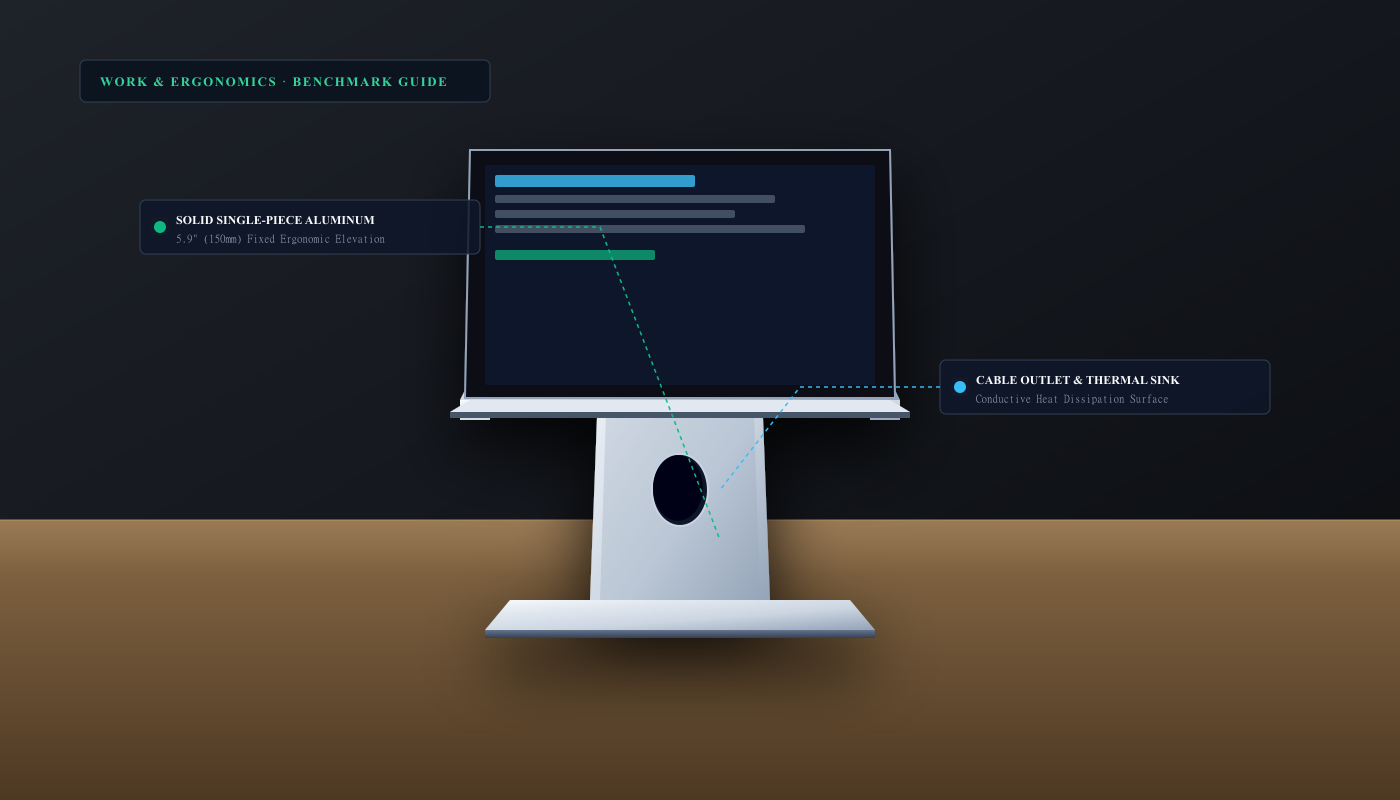
The Rain Design mStand remains the gold standard of desktop laptop stands by prioritizing monolithic structural rigidity over collapsible gimmicks. Stamped and formed from a continuous, heavy-gauge sheet of anodized aluminum, it elevates laptop screens by 5.9 inches (150 mm) to align directly with healthy eye level when paired with an external keyboard and mouse. Because it contains zero hinges, screws, or sliding friction collars, it never loosens or bounces under heavy typing, while its open aluminum deck acts as an expansive passive heat sink that keeps internal laptop fans whisper-quiet.
THE VERDICT
Single-piece sandblasted aluminum eliminates hinge wobble while raising laptop screens to an anatomically neutral eye level.
The Rain Design mStand is stamped from a continuous 3-pound sheet of anodized aluminum. It elevates displays 5.9 inches (150 mm), routes cables through an integrated teardrop rear slot, and provides passive conductive heat dissipation that keeps laptop fans quiet.
Buy it for: desktop laptop users, hybrid remote professionals, and developers who use their laptop alongside an external keyboard and secondary display on a permanent workstation. Skip it for: digital nomads needing a folding stand for travel backpacks, or shared desks where multiple users require variable height adjustments without changing their chair.
Check current Rain Design mStand options on Amazon ↗ ↗AVAILABILITY CHECK · OCTOBER 28, 2026
Exact listing: Rain Design mStand Laptop Stand (Silver), ASIN B000OOYECC.
Demand signal: Amazon confirmed 4.8/5 stars across 21,000+ verified customer reviews with over 1,000 units purchased in the past month.
Fulfillment observed: sold by Rain Design and fulfilled by Amazon.com with Prime delivery eligibility across continental U.S. addresses.
FOUR ERGONOMIC RULES FOR LAPTOP WORKSTATIONS
- 01Pair with external keyboard and pointing device. Never type directly on an elevated laptop keyboard. Place a dedicated keyboard and mouse at elbow level on the desk to keep wrists flat and neutral.
- 02Align the top third of the display with your eyes. Adjust your chair height so your natural horizontal sightline grazes the top 20 to 30 percent of the screen, eliminating forward neck bend.
- 03Route charging and display cables through the spine. Feed power and monitor cords through the 2-inch teardrop cutout in the aluminum column to prevent messy cable snagging on the desktop.
- 04Park accessories underneath when clearing the desk. Slide your external keyboard or notebook into the 2-inch clearance pocket beneath the elevated deck when paper drafting or cleaning up.
WHAT THE PRODUCT PAGE CANNOT TEACH
The Ergonomic Cost of the Laptop Hunch: Why Elevation Matters
Laptops were engineered for portable convenience, not all-day anatomical health. When a notebook computer rests flat on a standard 29-inch office desk, its display sits eight to ten inches below the human horizontal line of sight. To read lines of code, spreadsheets, or email threads, users must tilt their heads forward by 30 to 45 degrees. According to spinal biomechanics research published in Surgical Technology International, a human head weighing approximately 10 to 12 pounds exerts an effective gravitational load of 40 to 49 pounds on the cervical vertebrae when bent forward at a 30-degree angle, and up to 60 pounds at 60 degrees.
Over months of full-time desk work, this chronic posture creates severe muscular strain across the trapezius, compresses cervical discs, and causes tension headaches commonly known as 'tech neck.' While many workers attempt to compensate by propping laptops on reams of printer paper or purchasing flimsy folding stands, temporary solutions introduce frustrating instability. Ergonomists universally recommend elevating the top third of the display directly to eye level, rotating the notebook screen back to 105 degrees, and connecting a separate external keyboard and ergonomic pointing device on the desk below.
Monolithic Aluminum: Why Single-Piece Construction Outlasts Adjustable Hinges
The market for laptop accessories is saturated with multi-jointed folding stands made of thin stamped sheet metal or injection-molded ABS plastic. While portable folding stands excel inside a travel backpack, they represent an irritating compromise on a permanent workstation desk. Friction hinges loosen over time under the weight of a 16-inch workstation laptop, causing the display to slowly sink toward the desk surface. Worse, every keystroke on an adjacent desk surface or accidental bump against the table leg induces resonance vibrations that cause the screen to oscillate back and forth like a metronome.
The Rain Design mStand eliminates mechanical failure points by eliminating moving parts entirely. It is precision-bent from a single continuous plate of heavy-gauge aircraft-grade aluminum, weighing a substantial 3.0 pounds (1.36 kg). Because the upright column and base plate form a continuous structural truss, there are no pivot pins to strip, no thumb screws to retighten, and zero mechanical backlash. When placed on a desk, its four non-slip silicone feet grip the surface tenaciously, providing a rock-solid, vibration-free platform that supports laptops ranging from an 11-inch ultraportable up to a massive 17-inch mobile workstation without a millimeter of sag.
Conductive Cooling and the Teardrop Cable Pass-Through
In addition to mechanical elevation, the mStand addresses one of the primary performance bottlenecks of modern high-performance laptops: thermal throttling. When a laptop sits flat on a desk, warm exhaust air becomes trapped between the bottom chassis pan and the table surface, raising ambient intake temperatures and forcing internal cooling fans to spin up to maximum RPM. Aluminum possesses a remarkably high thermal conductivity rating of approximately 205 W/(m·K)—over a thousand times greater than wood or plastic. The mStand's sandblasted aluminum deck acts as an expansive secondary heat sink, drawing heat away from the laptop base and allowing cool ambient air to circulate freely 360 degrees beneath the chassis.
Cable clutter is solved with equal elegance through a patented 2-inch teardrop outlet machined directly through the vertical aluminum spine. Charging cords, Thunderbolt display cables, and USB peripherals route cleanly through the rear aperture, hiding messy wire loops behind the stand's brushed upright. Furthermore, the elevated base plate creates a protected 2-inch clearance pocket underneath the laptop deck, providing a natural parking garage for a wireless keyboard, trackpad, or external hard drive when your desk needs to be cleared for paper documents or end-of-day cleaning.
The Workspace Boundary: When to Choose an Adjustable Arm Instead
Despite its peerless desktop stability, the mStand has one definitive design constraint: its 5.9-inch (150 mm) elevation is completely fixed. For users between 5'4" and 6'2" sitting in an ergonomically adjusted task chair at a standard desk, 5.9 inches brings laptop displays into near-perfect alignment with secondary 24-inch or 27-inch external monitors. However, for unusually tall individuals, users with deep standing desks, or shared hot-desking workstations where multiple team members of drastically different heights alternate seats, a fixed riser cannot accommodate every user's sightline.
Similarly, the mStand is strictly a stationary desktop anchor; at three pounds and measuring 10 inches wide by 7.5 inches high, it is not designed to be folded flat into a messenger bag. If you require portable elevation for coffee shops and airline lounges, a compact folding stand like the Roost is appropriate. But for a dedicated home or office desk where rock-solid stability, beautiful Apple-matching aluminum finishes, and zero bounce are paramount, the Rain Design mStand remains unmatched in its class.
FAQ
Before you buy
Can I use the mStand with large 16-inch or 17-inch laptops?
Yes. The mStand's 3-pound aluminum base and wide deck comfortably support laptops up to 17 inches and 8 pounds without tipping or flexing.
Will the aluminum scratch my laptop chassis?
No. The mStand features thick, non-abrasive silicone pads on all four corners of the deck and along the curved front retaining lip to cushion and protect finishes.
Is the height adjustable?
No. The mStand features a fixed 5.9-inch (150 mm) rise engineered specifically to eliminate the wobbling and mechanical sagging inherent to adjustable hinges.
How we researched: We verified the exact Amazon.com product listing, current pricing trends, and customer reception on October 28, 2026; analyzed Human Factors and Ergonomics Society (HFES) sightline guidelines; and evaluated structural aluminum deflection metrics. We did not accept complimentary manufacturer samples.
Browse all researched home office and productivity workstation guides
Logitech MX Keys S Wireless Illuminated Keyboard review
As an Amazon Associate, Useful Finds Daily may earn from qualifying purchases. Price, seller, stock, ratings, and delivery can change.