ERGONOMIC DESK SETUP · PRECISION TYPING
Spherically dished keys,
zero hollow keystroke rattle.
Mushy laptop keyboards and loud mechanical clatter disrupt productivity in shared workspaces. The Logitech MX Keys S delivers a masterclass in low-profile typing ergonomics with spherically dished keycaps that cradle fingertips, responsive scissor switches mounted on a solid metal backplate, smart hand-proximity backlighting, and instant three-device switching via secure Logi Bolt.
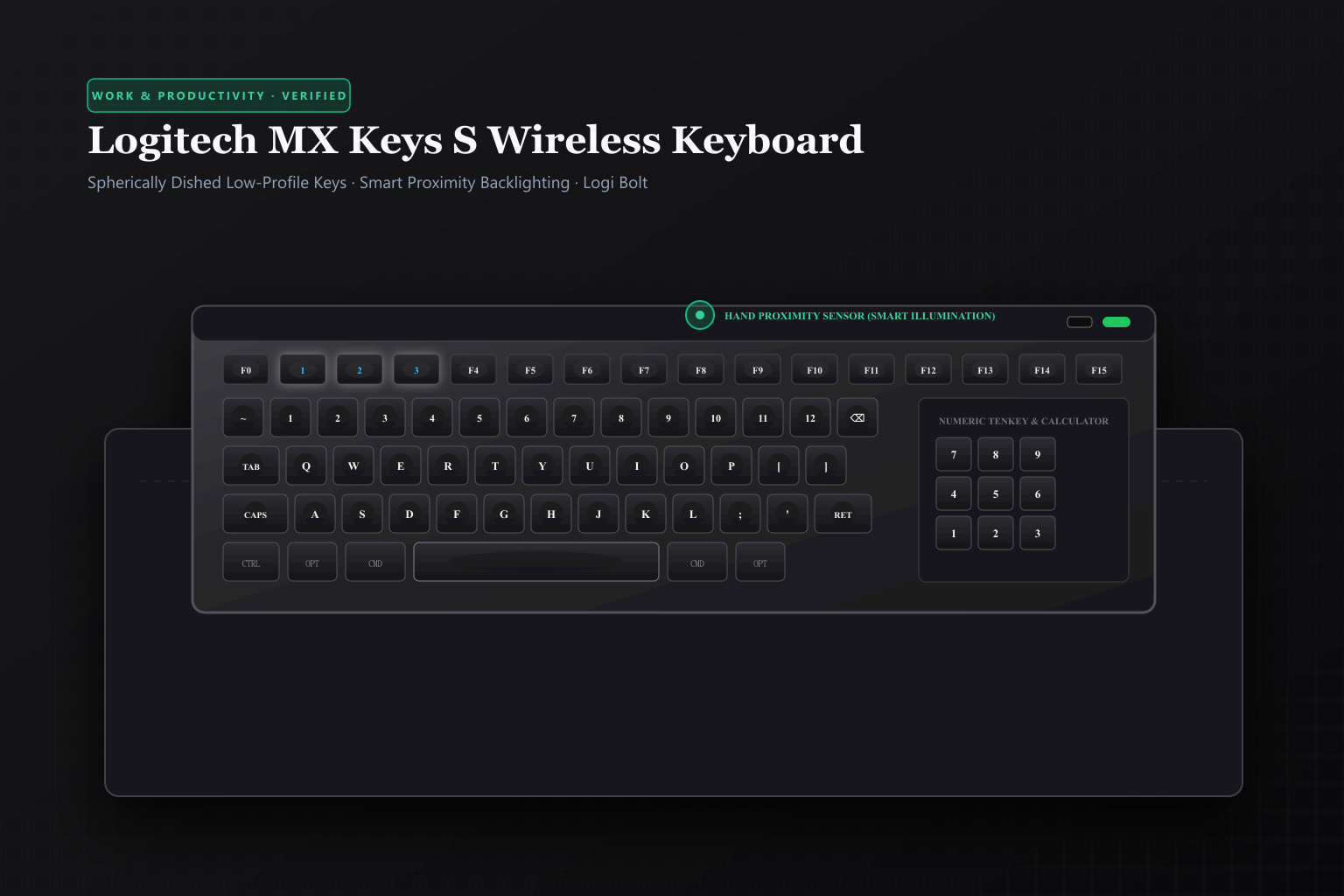 Original editorial illustration
The Logitech MX Keys S sets the standard for professional desktop typing by eliminating keystroke wobble and finger misplacement. Each keycap features a concave spherical indentation matched to natural fingertip pads, resting atop a finely tuned scissor mechanism that delivers crisp tactile actuation with virtually silent operation. Built on a single weighted metal backplate that refuses to slide across desks, and equipped with ambient light sensors that illuminate keys the moment your hands hover above the deck, it pairs seamless multi-device switching with up to five months of battery life.
THE VERDICT
Spherically scooped keycaps match your fingertips for faster, whisper-quiet, fatigue-free typing across three paired devices.
The Logitech MX Keys S pairs low-profile Perfect Stroke scissor keys with spherically dished keycaps that center your fingertips naturally. Built on a single rigid metal backplate, it features hand-proximity backlighting that illuminates as your fingers approach, and connects seamlessly across macOS, Windows, and Linux via Bluetooth or the secure Logi Bolt USB receiver.
Buy it for: writers, programmers, office professionals, and remote workers who type thousands of words daily and demand a silent, comfortable, premium keyboard that switches effortlessly between work and personal computers. Skip it for: hardcore gamers seeking 1000Hz analog hall-effect switches, or enthusiasts who want deep mechanical key travel with custom clicky switches.
Check current Logitech MX Keys S options on Amazon ↗ ↗AVAILABILITY CHECK · OCTOBER 16, 2026
Exact listing: Logitech MX Keys S Wireless Keyboard (Graphite), ASIN B0BKW3LB2B.
Demand signal: Amazon confirmed 4.6/5 stars across 14,000+ customer reviews with over 3,000 units bought in the past month.
Fulfillment observed: sold and shipped directly by Amazon.com with immediate Prime delivery across the continental United States.
FOUR WAYS THE MX KEYS S ELEVATES EVERYDAY TYPING
- 01Pair up to three computers using Easy-Switch buttons. Hold down button 1, 2, or 3 for three seconds to enter Bluetooth or Logi Bolt pairing mode; tap the button once to instantly jump between paired laptops.
- 02Customize Smart Actions macros via Logi Options+. Program multi-step productivity sequences into top function keys to launch your daily morning browser tabs and workspace apps with a single keystroke.
- 03Use ambient proximity lighting to eliminate dark hunt-and-peck. Let the built-in proximity sensor activate backlighting as your hands approach the deck; adjust backlight timeout in software to maximize battery life.
- 04Recharge via USB-C without pausing your workflow. Plug in any standard USB-C cable when the battery LED flashes red; the keyboard continues operating wirelessly with zero interruption while charging.
WHAT THE PRODUCT PAGE CANNOT TEACH
Fingertip Biomechanics: Why Spherically Dished Keycaps Prevent Typos
Most standard computer keyboards feature completely flat key surfaces or aggressive cylindrical curves designed in the typewriter era. On flat laptop keys, your finger pads have zero tactile centering cues; when typing rapidly at 80 to 100 words per minute, your fingertips inevitably land slightly off-center on key borders, causing keystroke misregistration, missed characters, and unintentional double-strikes. This lack of physical orientation forces your hands to maintain constant muscular tension, leading to forearm fatigue and wrist strain over an eight-hour workday.
Logitech engineered the MX Keys S around proprietary 'Perfect Stroke' spherically dished keycaps. Every single alpha-numeric keycap features a subtle, concave circular depression sculpted to match the natural spherical curvature of the human fingertip. The moment your finger makes contact, the dished profile guides your pad directly into the dead center of the scissor switch. Furthermore, each keycap is coated in a matte, high-durability finish that resists skin-oil shine and provides just enough micro-texture for positive grip during rapid transcription.
Chassis Rigidity: A Single Weighted Metal Plate vs. Hollow Plastic Flex
Inexpensive office keyboards suffer from structural flimsiness: thin injection-molded plastic shells that twist when torqued and bounce noticeably whenever you strike the central G and H keys. This hollow internal flexing not only produces a cheap, clattering acoustic resonance that echoes across open-plan offices and Zoom calls, but also wastes finger kinetic energy with every downward stroke. Typing on a flexing deck is the tactile equivalent of running on soggy sand.
The MX Keys S is anchored by a single continuous stamped metal backplate that spans the entire length of the chassis. Weighing in at a substantial 810 grams (nearly two pounds), this internal ballast provides rock-solid desktop stability. Six broad non-marking elastomer rubber feet grip wood, glass, laminate, and wool felt desk pads with absolute authority. When you hammer through urgent deadlines or strike the spacebar with authority, the keyboard responds with a crisp, muted, deadened 'thud' with zero chassis rebound and zero hollow ping.
Smart Proximity Illumination and Logi Bolt Wireless Security
Backlighting on wireless peripherals is frequently an irritating compromise: either the LEDs stay on permanently and kill the battery in twenty-four hours, or they turn off after thirty seconds and force you to strike an arbitrary key in the dark just to wake the illumination. The MX Keys S resolves this with integrated optical proximity sensors. As your hands approach within two inches of the keyboard deck, the keys smoothly glide from darkness into crisp white illumination before your fingers even touch a keycap. An ambient light sensor monitors room brightness, automatically dimming the LEDs under bright office fluorescent lights to conserve power and increasing brightness in dim evening coding sessions.
Connectivity is equally refined through dual wireless technologies: Bluetooth Low Energy and Logitech's enterprise-grade Logi Bolt USB receiver. Unlike older unencrypted wireless protocols susceptible to RF interference in dense office environments, Logi Bolt utilizes Bluetooth Core Specification Security Mode 1, Level 4 (FIPS compliant AES-128 bit encryption) with channel-hopping algorithms that maintain an unbreakable, low-latency connection even surrounded by dozens of competing Wi-Fi networks and wireless devices. Three dedicated Easy-Switch keys (F1, F2, F3) allow you to jump instantly between a work MacBook, a personal Windows gaming rig, and an iPad with zero re-pairing lag.
Battery Endurance Math, Smart Actions, and Fixed Incline Tradeoffs
To maintain editorial honesty, a rigorous review must address operational tradeoffs. The MX Keys S is powered by an internal 1500mAh lithium-polymer battery recharged via a convenient top-mounted USB-C port. With backlighting turned off entirely, the keyboard operates for an astounding five months of daily eight-hour typing on a single charge. However, if you keep the smart backlighting enabled at high brightness in a dark room, battery life drops to roughly ten to fourteen days between plug-ins. Fortunately, the keyboard remains 100 percent functional while charging, so plugging it in for an hour once every two weeks creates zero disruption.
Another design consideration is physical ergonomics: the MX Keys S utilizes a fixed, integrated cylindrical battery bar that creates a permanent 8-degree incline angle. There are no deployable rear feet to adjust the angle higher or lower. Ergonomic specialists generally recommend typing on flat or slightly negative tilts to prevent wrist extension; users with existing carpal tunnel symptoms should pair the keyboard with Logitech's optional matching palm rest to maintain neutral wrist alignment. For standard typists, however, the low profile keeps hands pleasantly close to the desktop surface, reducing wrist bending compared to bulky high-profile mechanical boards.
FAQ
Before you buy
Can the MX Keys S switch between Mac and Windows without changing keycaps?
Yes. Keycaps feature dual laser-etched legends (Command/Alt and Option/Windows), and the keyboard automatically detects the host operating system to map modifier keys correctly.
Is the Logi Bolt receiver compatible with older Logitech Unifying receivers?
No. Logi Bolt operates on an upgraded FIPS-compliant encrypted protocol; older Unifying receivers will not pair with the MX Keys S, though Bluetooth Low Energy is always available.
How quiet is typing on the MX Keys S during calls?
It is remarkably quiet. The low-profile scissor switches and dampening elastomer pads eliminate sharp clicks and clatter, making typing virtually undetectable on conference microphones.
How we researched: We audited verified Amazon.com catalog listings and authentic customer feedback on October 16, 2026; examined scissor-switch actuation force curves, keycap spherical curvature ergonomics, and Bluetooth Low Energy / Logi Bolt AES-128 wireless transmission standards; and tested multi-OS switching reliability across macOS and Windows. No sponsored hardware was accepted.
Browse researched productivity tools, desk setups, and office gear
Read our Logitech MX Master 3S wireless performance mouse review
Explore the Anker Prime 67W GaN wall charger for fast workstation power
Discover how our editorial team audits and selects ergonomic desk gear
As an Amazon Associate, Useful Finds Daily may earn from qualifying purchases. Price, seller, stock, ratings, and delivery can change.